
If you’ve been searching for the best business intelligence courses online, you already know the problem. There are hundreds of options out there, and most of them look identical on the surface.
Power BI or Tableau? Coursera or Udemy? Beginner or advanced? Free or paid? The choices pile up fast, and before you know it, you’ve spent three hours researching courses instead of actually taking one.
BI is one of the fastest-growing career fields on the planet. The US Bureau of Labor Statistics projects a 23% growth in BI analyst roles through 2031. Entry-level salaries in the US are hovering around $96,000.
In India, mid-level BI professionals in cities like Bengaluru and Hyderabad are commanding ₹10–₹15 LPA, and those numbers keep climbing as more companies realise that raw data sitting in spreadsheets is worth nothing without someone who can turn it into decisions.
The window to get ahead of this curve is open right now, but it won’t stay open forever. Every month you spend undecided is a month someone else spends getting certified, building their portfolio, and landing the role you’re aiming for.
The good news? You don’t need to figure this out alone.
I’ve done the research for you. In this guide, I’ve handpicked and reviewed the best business intelligence courses online for 2026, covering everything from free YouTube tutorials to IBM and Google professional certificates, from beginner-friendly Coursera specialisations to advanced Udemy masterclasses built by industry practitioners.
Every course on this list has been evaluated for curriculum quality, tool coverage, real-world applicability, pricing, and most importantly, whether it actually gets you job-ready.
So let’s get into this.
Quick Answer: Best Business Intelligence Courses Online (Top Picks)
Short on time? Here’s a bird’s-eye view of every course covered in this guide, matched to your level, goals, and budget.
| Course Name | Platform | Level | Duration | Certification | Best For |
|---|---|---|---|---|---|
| BI Foundations with SQL, ETL & Data Warehousing Specialization | Coursera (IBM) | Beginner | 2 months | Specialization Certificate | Complete beginners wanting to understand BI from the backend up |
| Microsoft Power BI Data Analyst Professional Certificate | Coursera (Microsoft) | Beginner | 3 months | Professional Certificate + 50% PL-300 discount | Career changers wanting Microsoft-backed Power BI credentials |
| Data Visualization & Business Intelligence Specialization | Coursera | Beginner–Intermediate | 3–6 months | Specialization Certificate | Professionals who want to master data storytelling with Excel, PowerPoint & Power BI |
| Generative AI for BI Analysts Specialization | Coursera (IBM) | Intermediate | ~23 hours (self-paced) | Specialization Certificate | Practicing BI analysts wanting to integrate AI into their workflow |
| Google Business Intelligence Professional Certificate | Coursera (Google) | Intermediate | Under 2 months | Professional Certificate | Data analytics graduates ready to step up into dedicated BI roles |
| Microsoft Power BI Desktop for Business Intelligence | Udemy (Maven Analytics) | Beginner–Advanced | ~16 hours | Udemy Certificate | Hands-on learners who want the #1 rated Power BI course on the market |
| Power BI — Business Intelligence for Beginners to Advance | Udemy | Beginner–Intermediate | 46 hours | Udemy Certificate | Learners who want maximum dashboard-building practice across multiple industries |
| The Business Intelligence Analyst Course 2026 | Udemy (365 Careers) | Beginner–Intermediate | ~22 hours | Udemy Certificate | Aspiring BI analysts who want SQL, Tableau, Statistics & Python in one course |
| Microsoft Power BI — The Complete Masterclass | Udemy (Nikolai Schuler) | Beginner–Advanced | ~15 hours | Udemy Certificate | Learners who want deep, end-to-end Power BI mastery, including R, Python & RLS |
Best Business Intelligence Courses Online to Get Job-Ready Fast
1. BI Foundations with SQL, ETL, and Data Warehousing Specialization — Coursera
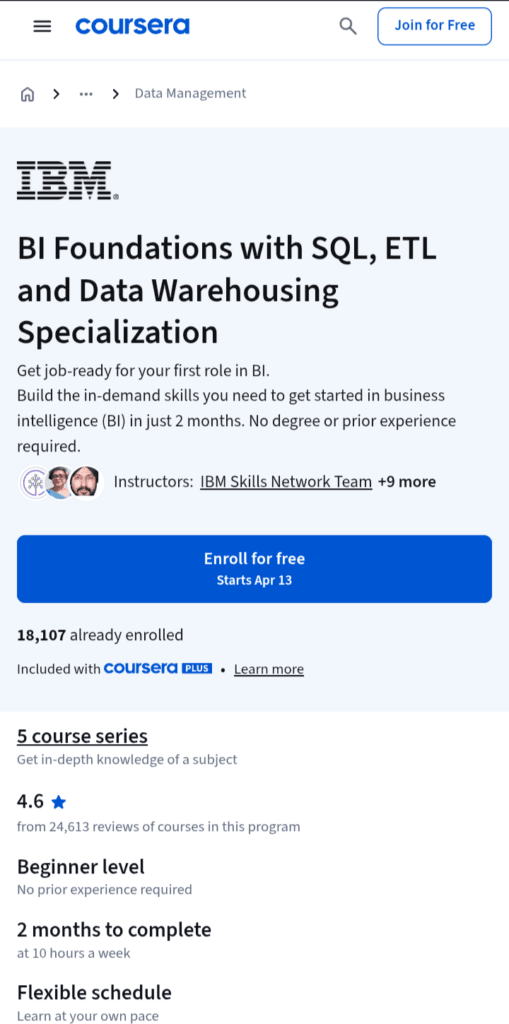
If you’ve ever wondered what happens behind the scenes before data shows up in a pretty dashboard, this is the course that pulls back the curtain.
Built by IBM and hosted on Coursera, this specialization digs into the foundational plumbing of business intelligence: SQL, ETL pipelines, and data warehouses. It’s not the flashiest course on the list, but it might just be the most important one.
Best for: Beginners and career switchers who want to break into BI, Data Engineering, or Data Analytics, with zero prior experience required.
Skills You’ll Learn
You’ll learn how to run SQL queries to work with relational databases, automate ETL jobs and data pipelines using BASH scripts, Apache Airflow, and Kafka, design data warehouses using STAR and Snowflake schemas, and create interactive reports and dashboards using BI tools like Cognos Analytics and Google Looker.
Tools Covered
The specialization covers SQL (PostgreSQL, MySQL, IBM Db2), Apache Airflow, Apache Kafka, Linux/BASH scripting, IBM Cognos Analytics, Tableau, and Microsoft Power BI. You’ll also work hands-on with star and snowflake schemas, cubes, rollups, and materialized views; real tools that real data professionals use every day.
Duration
The program is designed to get you job-ready in just 2 months, with no degree or prior experience required. It is fully self-paced, so you can learn slowly if you want.
Certification
Upon completing the full program, you earn a shareable Specialization certificate for your resume and LinkedIn profile, along with a portfolio of hands-on projects you can actually talk about in interviews.
Pros
- Backed by IBM, a name that carries weight on a resume
- The only prerequisites are basic computer and data literacy, making it accessible for complete beginners
- Heavy on hands-on labs. You’re not just watching videos, you’re actually building pipelines and dashboards
- Each course includes a project, giving you plenty to talk about in job interviews
- Covers both ETL and ELT. A distinction many beginner courses skip entirely
Cons
The focus leans more toward IBM tools (Cognos, Db2). If your target job uses Power BI or Tableau heavily, you’ll need to supplement.
2. Microsoft Power BI Data Analyst Professional Certificate — Coursera
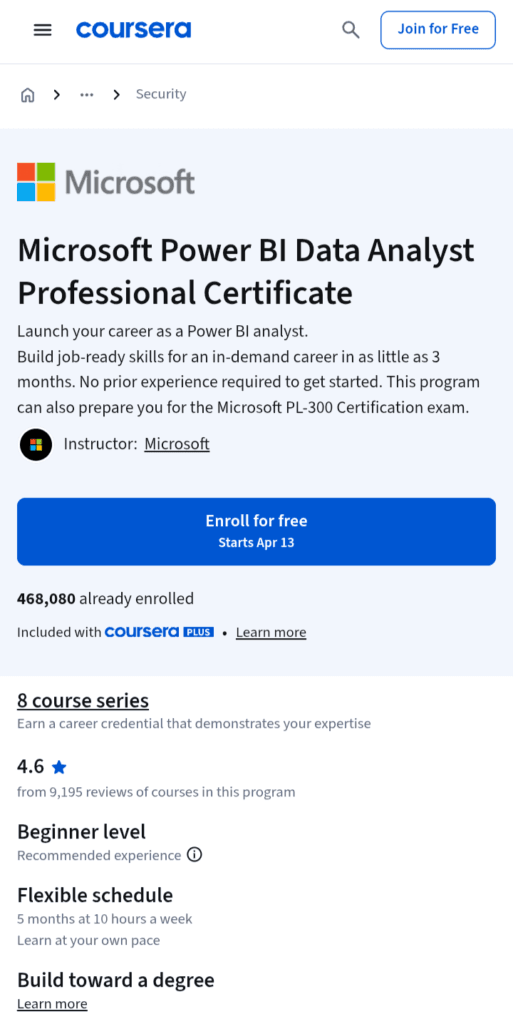
If there’s one BI tool that dominates job descriptions right now, it’s Power BI. And who better to teach it than the company that built it?
This professional certificate comes straight from Microsoft, making it one of the most credible and career-focused Power BI programs you’ll find online. Whether you’re switching careers or leveling up, this one deserves a serious look.
Best for: Complete beginners and career changers who want to master Power BI from the ground up, and walk away with a path to an industry-recognized Microsoft certification.
Skills You’ll Learn
You’ll learn to connect to data sources and transform them into meaningful insights, prepare Excel data for analysis in Power BI, create compelling reports and dashboards, form data models using the Star schema, perform calculations in DAX, and explore how generative AI tools are used in business intelligence. You’ll also design, develop, and deploy business analytics dashboards.
Tools Covered
The program builds deep expertise in Power BI, DAX (Data Analysis Expressions), Power Query, and data modeling. You’ll also work with Microsoft Excel as a data prep layer, a combination that’s practically a daily ritual in most corporate BI environments. Proficiency in Power Query and DAX is specifically highlighted as essential for the Microsoft PL-300 certification exam.
Duration
The program is designed to get you job-ready in as little as 3 months, with no prior experience or prerequisites required. At a realistic part-time pace alongside a full-time job, most learners complete it in around 5 months.
Certification
This is where things get really interesting. Learners who complete the program receive a voucher for 50% off the PL-300 certification exam, which is a significant saving on an exam that normally costs $165. The PL-300 exam measures your ability to prepare, model, visualize, and analyze data, and deploy and maintain BI assets. Microsoft updated it as recently as January 2026, so the content is fresh and relevant.
Pros
- Taught directly by Microsoft, the creator of Power BI, which is used by 97% of Fortune 500 companies
- Direct pathway to the PL-300 exam with a 50% discount voucher included
- The capstone project gives you a concrete, real-world artifact to discuss in interviews.
- No technical background needed. The Excel-first approach eases you in naturally.
- Includes project-based instruction and work-based learning, not just passive video watching
Cons
- SQL gets very little attention here. You’ll need a separate course to fill that gap if job descriptions require it.
3. Data Visualization & Business Intelligence Specialization — Coursera
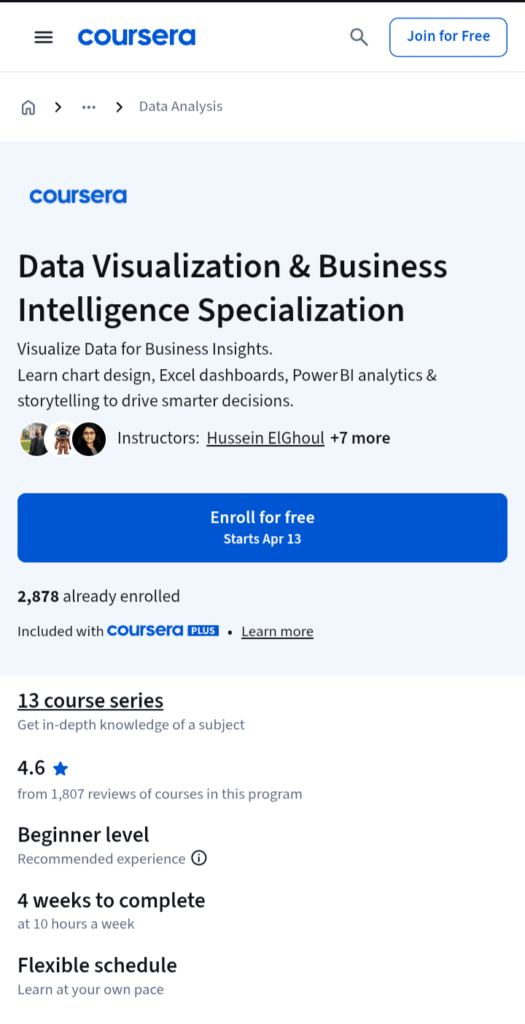
Numbers don’t lie, but they do confuse people. And that’s exactly the problem this specialization is built to solve.
If you have ever stared at a spreadsheet full of data and thought, “This means something important, but how do I show people that?”, this course was designed with you in mind.
It’s all about turning raw, messy data into crisp, visual stories that actually move people to make decisions.
Best for: Business professionals, analysts, and marketers who already work with data but struggle to communicate insights clearly, or anyone who wants to master the art of visual storytelling using Microsoft’s toolkit.
Skills You’ll Learn
Across 13 courses, you’ll build core visual storytelling skills, starting with mastering chart selection and design, learning to match comparison, composition, distribution, and relationship data with the right chart type, and applying design principles that remove clutter and highlight key insights.
You’ll then move into creating layered waterfall charts and dynamic, linked dashboards in Excel using conditional formatting and PivotTables, explore business storytelling in PowerPoint by combining SmartArt, multimedia, and animations, and dive into Power BI to connect, clean, and model data while building interactive dashboards using DAX and AI-powered tools like Copilot and ChatGPT.
That last part deserves a double-take. Yes, this specialization actually integrates generative AI into the BI workflow, which puts it ahead of a lot of older courses still stuck in 2022.
Tools Covered
The specialization builds hands-on skills in Power BI, DAX (Data Analysis Expressions), Microsoft Excel, Microsoft PowerPoint, and data storytelling and visualization techniques, making it one of the most Microsoft-ecosystem-complete programs on this list. If your workplace runs on Office 365, this is practically tailor-made for you.
Duration
The specialization was updated as recently as February 2026, so the content is current. With 13 courses, each ranging from 2 to 4 hours, you can expect to complete this course in a month.
Certification
Upon completing the work, you earn a shareable Specialization certificate that can be added to your LinkedIn profile and resume.
Pros
- One of the most comprehensive visual storytelling programs available online
- Integrates AI-powered tools like Microsoft Copilot and ChatGPT into the Power BI workflow
- Covers the full Microsoft stack: Excel, PowerPoint, and Power BI in one program
- Includes row-level security and report publishing
- Great for non-technical professionals who need to communicate data to stakeholders, not just crunch numbers
Cons
- No SQL or database content. You’ll need to source that learning separately.
4. Generative AI for Business Intelligence (BI) Analysts Specialization — Coursera
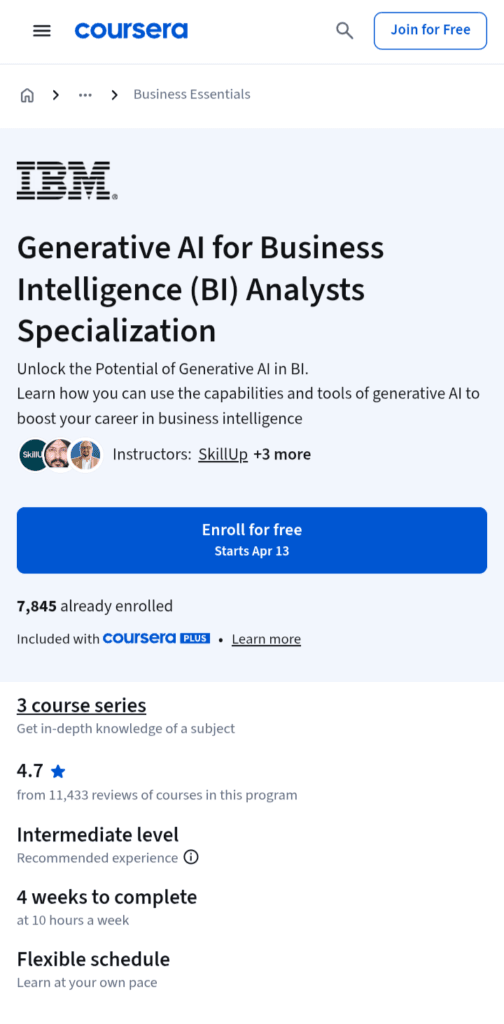
The BI world is changing fast, and if you’re still doing things the old-fashioned way while your competitors have AI writing their queries, generating dashboards, and cleaning their data in minutes, you’re already playing catch-up.
This IBM-designed specialization is built for exactly that moment. It’s not a course about what AI is. It’s about how BI analysts specifically can use it to work smarter, faster, and more impressively than ever before.
You can refer to my detailed review for this course.
Best for: Intermediate and advanced BI professionals who want to modernize their skill set with generative AI, whether you’re already working as a BI analyst or looking to break into an AI-powered role in the business intelligence field. This is not a beginner’s first step into BI. It’s a power-up for those who already have the foundation.
Skills You’ll Learn
You’ll explore the core concepts and capabilities of generative AI and learn to leverage them throughout the BI lifecycle, master prompt engineering techniques to optimize outputs from generative AI tools, and gain practical skills in using generative AI for different BI use cases, including querying databases and documents, automating data visualization, and creating dashboards and reports.
You’ll also learn how generative AI supports data analysis, synthetic data creation, and data cleansing.
On top of that, the specialization covers ethical considerations, challenges, and best practices in implementing generative AI for BI because knowing when not to use AI is just as important as knowing when to deploy it.
Tools Covered
The specialization covers generative AI tools, including ChatGPT, IBM WatsonX Prompt Lab, Spellbook, and Dust, as well as prompt engineering techniques like zero-shot and few-shot prompting, and approaches like Interview Pattern, Chain-of-Thought, and Tree-of-Thought.
You’ll also work with AI models like GPT and DALL-E, with a practical focus on applying them inside the BI workflow rather than just understanding them theoretically.
Duration
This three-course series specialization takes around 30 hours to complete. If you spend 10 hours per week, you can complete this in 3 to 4 weeks seamlessly.
Certification
Upon completing the specialization, you earn a shareable credential that can be added to your LinkedIn profile, resume, or CV. It’s offered by IBM through Coursera’s SkillUp platform, which carries strong brand recognition in the data and tech hiring space.
Pros
- Laser-focused on BI use cases
- Built by IBM specifically to apply generative AI tools and techniques to optimize every stage of the BI lifecycle
- Covers the ethics angle seriously
- Hands-on labs give you real practice, not just passive video watching
- Complements any existing BI certification beautifully
Cons
- Not suitable for BI beginners.
5. Google Business Intelligence Professional Certificate — Coursera
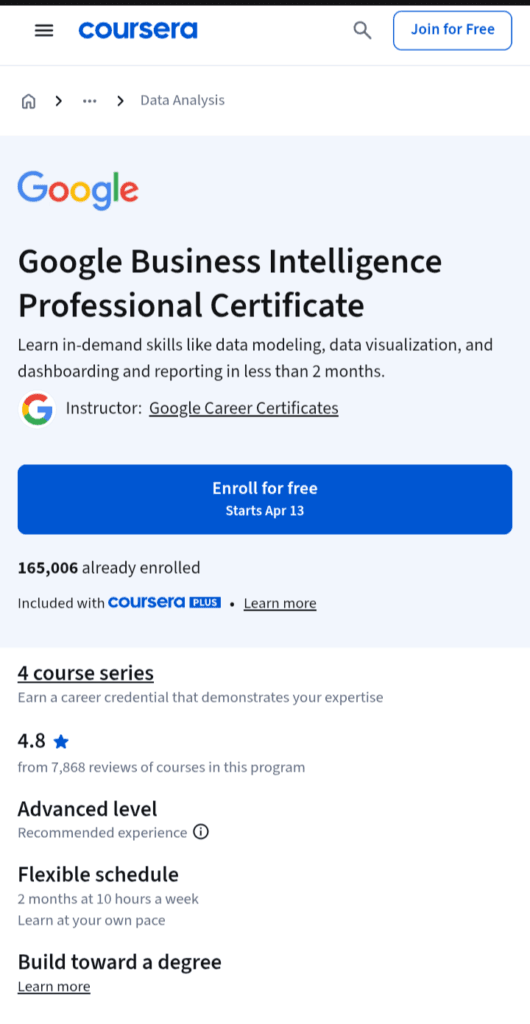
When Google puts its name on a certificate, the job market sits up and pays attention. This isn’t a generic BI course dressed up with a familiar logo.
It’s a carefully structured, intermediate-level program built by actual Google BI professionals who guide you through real job simulations straight from their day-to-day work.
If you’ve already dipped your toes into data analytics and you’re ready to level up into a fully-fledged BI role, this is one of the most credible and career-focused pathways available in 2026.
Best for: Graduates of the Google Data Analytics Certificate or professionals with equivalent data analytics experience who want to transition into a dedicated BI role. This isn’t the place to start from zero, but if you have the foundation, it’s one of the fastest runways to a job-ready BI skill set on the market.
Skills You’ll Learn
You’ll learn in-demand skills like data modeling, data visualization, dashboarding, and reporting, with a focus on collecting, organizing, interpreting, and reporting on data to help organizations make informed business decisions, including measuring performance, tracking revenue or spending, and monitoring progress.
You’ll also learn to acquire, manipulate, and integrate data using key BI concepts, select and define metrics relevant to project goals, and develop and execute a full BI project from stakeholder requirements through to delivering actionable insights.
Across the program’s courses, you’ll move through BI foundations, data models, and ETL pipelines, and finally into the craft of building dashboards and reports.
Tools Covered
The program focuses heavily on BigQuery, SQL, and Tableau, three tools that form the backbone of Google-ecosystem BI workflows and appear consistently across BI job postings.
You’ll use BigQuery for large-scale data querying in the cloud, SQL for data manipulation, and Tableau for creating the polished, interactive dashboards that stakeholders actually use to make decisions.
Duration
At under 10 hours a week, the certificate program can be completed in less than two months. At a more intensive full-time pace, motivated learners can wrap it up in 3–4 weeks.
Certification
Upon completion, you can apply for jobs with Google and over 150 U.S. employers through Coursera’s hiring partner network.
Certificate graduates in the US also gain access to CareerCircle, which offers personalized coaching, mock interviews, and resume-building tools, plus an exclusive job board connecting graduates directly with employers hiring for BI roles.
Pros
- Taught by actual Google BI employees who guide you through hands-on activities that simulate real job tasks from their own day-to-day work
- Each course in the program carries over 80% five-star reviews on Coursera.
- A strong 75% of graduates reported a positive career outcome, such as a new job, promotion, or raise, within 6 months of completion.
- Access to 150+ hiring partners and the CareerCircle job network adds real post-completion career support.
- The Google brand is universally recognised by hiring managers, especially in tech-adjacent industries.
Cons
- Power BI gets no coverage here. If your target employer uses Microsoft’s stack, you’ll need to learn it separately.
6. Microsoft Power BI Desktop for Business Intelligence — Udemy (Maven Analytics)
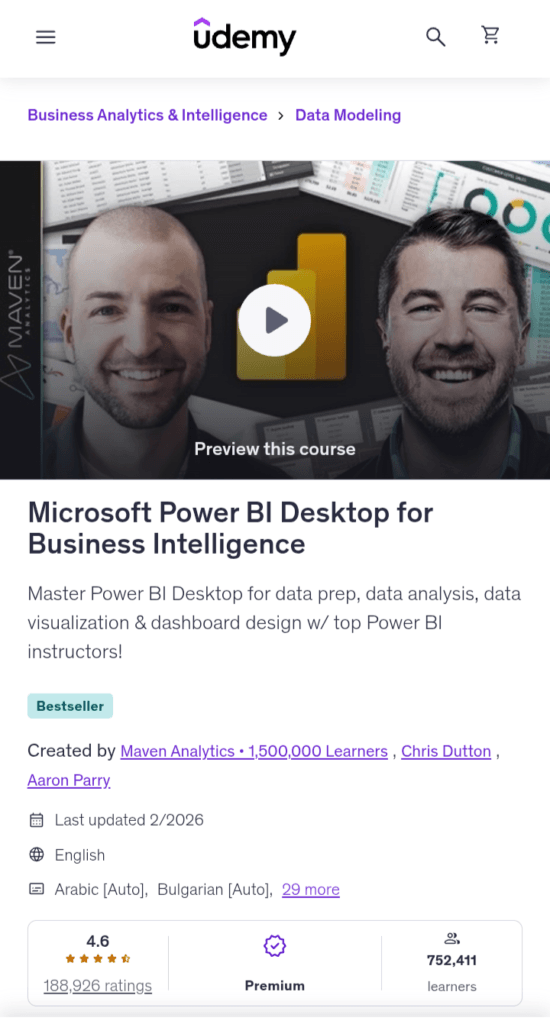
If the BI course world had a Hall of Fame, this one would have its own wing. Built by the legendary Maven Analytics team and led by instructor Chris Dutton, this is Udemy’s undisputed #1 best-selling Power BI course, and the numbers back it up completely. It’s not just popular; it’s the kind of course people come back to rave about years after completing it.
Best for: Anyone looking for a hands-on, project-based introduction to Microsoft Power BI Desktop. Data analysts and Excel users hoping to develop advanced data modeling, dashboard design, and business intelligence skills, and aspiring data professionals looking to master the #1 business intelligence tool on the market.
Skills You’ll Learn
The four-stage layout covers data prep, modeling, DAX, and dashboards, mirroring the real-world BI workflow in a way that feels less like a course and more like an actual job.
Specifically, you’ll master data connectors to databases, web sources, and Excel models; storage and import modes for optimised performance; table transformations including grouping, aggregating, pivoting, and unpivoting; DAX fundamentals including syntax, operators, calculated columns, measures, core functions like CALCULATE, FILTER, and ALL, as well as iterators and time intelligence patterns.
The course project puts you in the role of a Business Intelligence Analyst for AdventureWorks Cycles, a fictional manufacturing company, where your job is to transform raw data into professional-quality reports and dashboards to track KPIs, compare regional performance, analyse product-level trends, and identify high-value customers.
And as a bonus, there’s a second full project layered on top of that, so you walk away with two real portfolio pieces, not one.
Tools Covered
The course covers Power BI Desktop’s full toolset, including Power Query for data transformation, DAX for calculations, and the four storage and connection modes: import, direct query, composite models, and live connections.
You’ll also explore external tools like DAX Studio, Tabular Editor, and Bravo. Power BI is the star of the show here, no Tableau, no SQL detours, just deep, focused Power BI expertise.
Duration
The course runs approximately 17 hours of video content, with 9 articles and 9 downloadable resources included. At a comfortable pace of an hour or two per day, most learners finish in two to three weeks.
Certification
You receive a Udemy certificate of completion upon finishing the course. While this isn’t a vendor-recognised credential like the Microsoft PL-300, the Maven Analytics brand is well-known in the data community for shaping careers, not just teaching tools, which gives the credential more street credibility than a typical Udemy certificate.
Pros
- Learners consistently say this course outperforms expensive in-person bootcamps
- Two full real-world projects give you a solid portfolio foundation right out of the gate
- Lifetime access means you can revisit content whenever Power BI updates roll out
- Covers professional external tools like DAX Studio that most courses ignore entirely
Cons
- No SQL, Tableau, or multi-tool BI coverage, purely a Power BI course
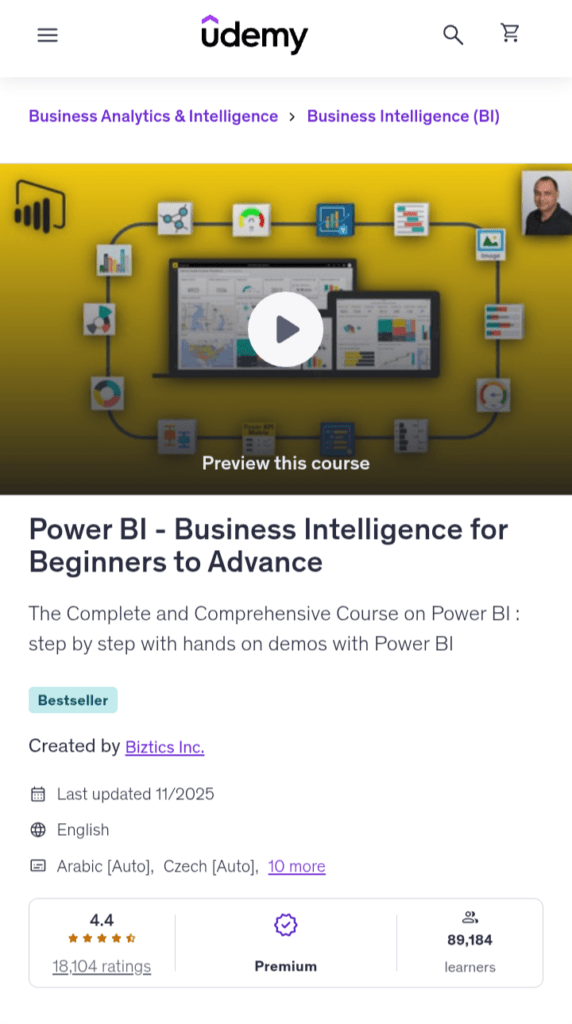
7. Power BI — Business Intelligence for Beginners to Advance — Udemy
Not everyone wants to spend weeks working through a structured curriculum with assignments, quizzes, and instructor-designed milestones.
Sometimes you just want to sit down, open Power BI, and start building things, watching real dashboards come together from scratch in real time.
That’s exactly the sweet spot this course occupies. With 46 hours of hands-on, project-driven video content and 18 complete real-world dashboards built from the ground up, it’s one of the most volume-rich Power BI courses you’ll find on Udemy, and an especially appealing choice for people who learn best by doing rather than reading.
Best for: Aspiring data analytics professionals who want to start their data analytics career and successfully implement Power BI in their organisation, with absolutely no prior experience required. It’s also a strong pick for working professionals, managers, finance teams, and HR analysts who need practical, immediately applicable Power BI skills without getting deep into theory.
Skills You’ll Learn
You’ll build professional-quality Business Intelligence reports from the ground up, blend and transform raw data into beautiful interactive dashboards, and learn to design and implement the same BI tools used by professional analysts and data scientists, understanding the Business Intelligence workflow from end to end.
The course also covers enterprise-level topics like gateways for on-premises data access, row-level security, and collaboration features for sharing and publishing reports, as well as an extensive DAX section teaching you to create calculated columns and measures for advanced data analysis.
What really sets this course apart from many others is the breadth of industry scenarios covered. With 18 real-world projects, you’ll gain hands-on experience in areas like finance, sales, HR, and IT, so by the time you finish, you will haven’t just practiced at one fictional company. You’ve worked across multiple industries, which makes your portfolio feel genuinely diverse and employer-ready.
Tools Covered
The course covers Power BI’s full ecosystem, including connecting to on-premise and cloud data sources, transforming and cleaning data, creating dashboards with natural language queries and Power BI’s Q&A feature, and building descriptive, predictive, and prescriptive analytics.
Newer sections also introduce AI Visuals, including ChatGPT and Microsoft Copilot integrations in Power BI, keeping the content fresh and aligned with where the industry is actually heading in 2026.
Duration
The course packs 46 hours of HD video content across 18 full interactive dashboards and reports. At a casual pace of 10 hours a week, you’re looking at about four to five weeks.
Certification
You receive a Udemy certificate of completion at the end of the course.
Pros
- Start and finished project files are included for every project, so you can challenge yourself first and then compare against a working solution.
- The bonus lectures section covers best practices, tips, and tricks, plus a comprehensive, searchable tutorial covering Power BI, DAX, SQL, and Power Query, serving as a valuable ongoing reference.
- Covers AI Visuals, including ChatGPT and Microsoft Copilot integration in Power BI
- Multi-industry project scope across finance, sales, HR, and IT builds a diverse, interview-ready portfolio.
Cons
- The teaching style is more demonstration-heavy than concept-first. Learners who prefer deep “why does this work?” explanations may find it less satisfying than the Maven Analytics approach
8. The Business Intelligence Analyst Course 2026 — Udemy (365 Careers)
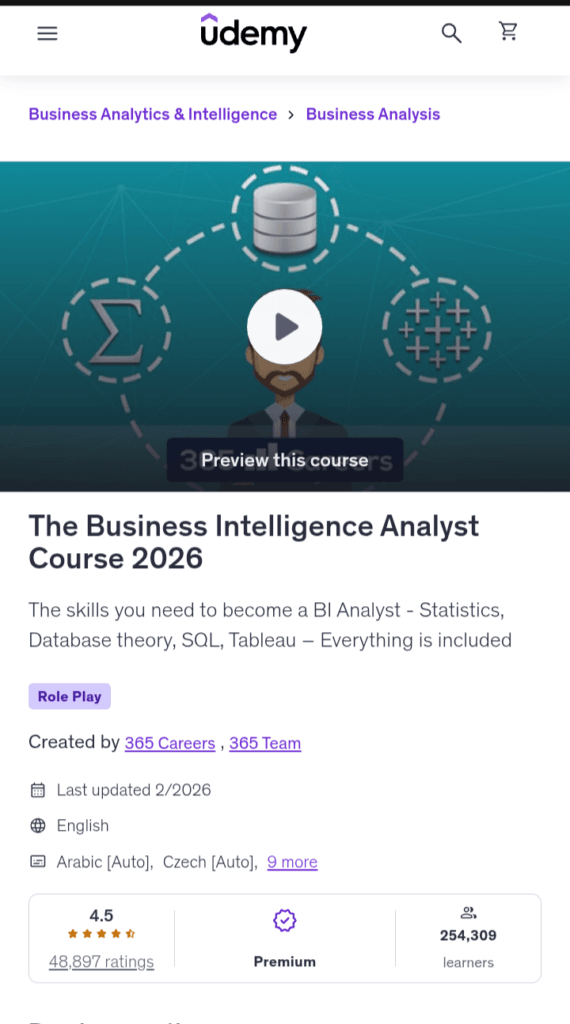
Most BI courses teach you one tool and call it a day. This one does something bolder. It hands you the entire analyst toolkit and teaches you how to wield every piece of it.
Created by 365 Careers, one of Udemy’s most respected and prolific data education teams, this course doesn’t just prepare you for a job title.
It maps out the entire skillset that BI analyst job descriptions actually ask for and builds it from the ground up, including statistics, SQL, Tableau, and Python, all under one roof.
If you’ve been wondering which course to take that covers everything a BI hiring manager wants to see, this is a very serious answer to that question.
Best for: Candidates willing to boost their resume by learning how to combine the knowledge of Statistics, SQL, and Tableau in a real-world working environment, SQL programmers who want to develop business reasoning, and people interested in starting a Business Intelligence Analyst career. It’s also a strong fit for career changers who want a single, structured path from zero to job-ready without bouncing between five different courses.
Skills You’ll Learn
The course is built across several comprehensive modules: Introduction to Data and Data Science, Statistics and Excel, Database theory, SQL, Tableau, and SQL + Tableau integration, covering the precise technical combination that dominates BI analyst job postings.
But it doesn’t stop there. The course also covers generative AI’s role in data science, including automated report generation, product personalisation, and scenario planning using tools like DALL-E and ChatGPT, making it more forward-looking than many similar courses that were built a few years ago and never updated.
You’ll also learn to acquire data science concepts, including how to integrate SQL, Tableau, and Python to predict client default rates and visualise findings in Tableau.
Tools Covered
The course covers Statistics, Microsoft Excel, SQL (database theory and querying), Tableau for data visualisation, and Python, plus their integration in combined, real-world BI workflows. This multi-tool approach is one of the course’s biggest differentiators.
Most Udemy BI courses pick one or two tools; this one insists on teaching the full stack that actual job descriptions demand.
Duration
The course spans 52 sections and 472 lectures totalling 22 hours and 11 minutes of content, making it one of the most comprehensive single-course BI programs on Udemy. At a relaxed pace of an hour per day, expect to complete it in three to four weeks.
Certification
The course is created by 365 Careers and 365 Team, and carries a 4.5 rating on Udemy based on over 48,000 ratings, an impressive level of social proof for a course of this scope. You receive a Udemy certificate of completion, which can be added to your LinkedIn profile.
Pros
- Genuinely comprehensive, covering the full BI analyst skill stack, including Statistics, SQL, Tableau, Python, and their real-world integration, which is rare for a single Udemy course
- Includes a real-world integration project combining SQL, Tableau, and Python to predict client default rates
- Covers generative AI basics, including ChatGPT and DALL-E, in the context of BI
Cons
- Notably absent from the core curriculum is Power BI. Most BI job descriptions require this expertise, so you have to take another course for this tool.
9. Microsoft Power BI — The Complete Masterclass — Udemy (Nikolai Schuler)
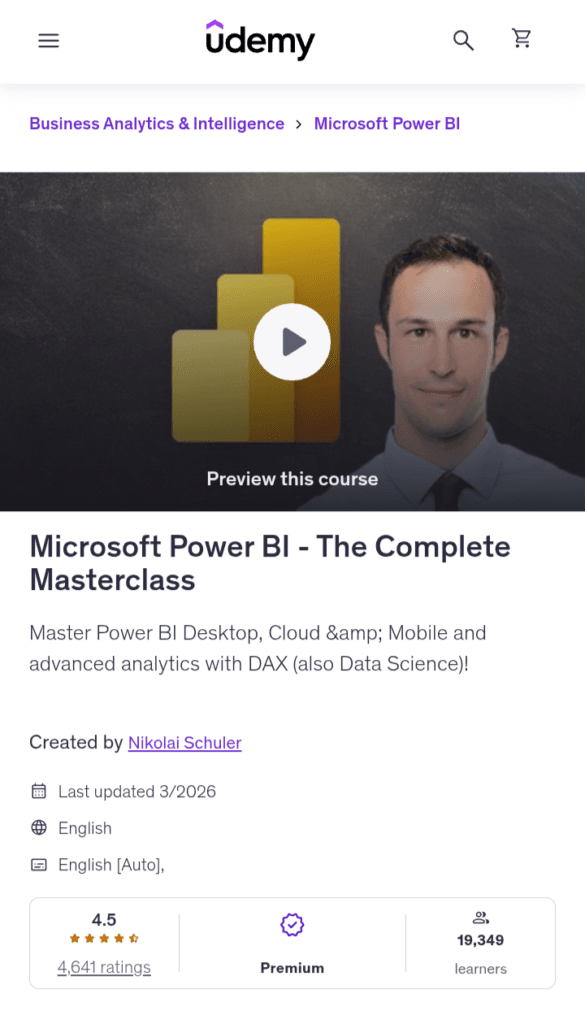
There’s a certain type of learner who doesn’t just want to know how to use a tool. They want to understand the entire universe of that tool, from the very first click all the way to enterprise-level security configurations, R scripts, and Python integrations.
If that sounds like you, this is your course. Created by Nikolai Schuler, a data scientist and BI consultant whose courses have reached learners in over 170 countries, this “Highest Rated” Udemy course earns that badge by doing something most Power BI courses shy away from: it genuinely covers everything, including the parts that other courses quietly skip.
Best for: Anyone looking for a complete and comprehensive introduction to Power BI, whether you’ve never worked with it before and want to learn everything hands-on in one course, or you already have some basic knowledge and want to dive deeper and become more advanced across the whole Power BI ecosystem.
Skills You’ll Learn
You’ll learn the complete workflow in Power BI from A to Z, connecting different data sources from basics to advanced, creating and understanding data models, mastering DAX for advanced analysis, mastering all the different visualisations, storytelling with data, and creating interactive visualisations with drill-throughs and drill-downs.
What separates this course from most beginner-to-intermediate Power BI programs is how far it goes into genuinely advanced territory.
You’ll learn how to use R Scripts in Power BI for data science applications, apply forecasting for advanced analytics, and implement Row-Level Security to control access to data.
You’ll also explore Python integration for enhanced visualisations and machine learning, and master the M language for advanced data transformation in Power Query.
Tools Covered
The course is a genuine all-in-one covering Power BI Desktop, Power BI Cloud, and Power BI Mobile, giving you the full platform picture rather than just the Desktop layer.
It also covers Power BI Service and Microsoft Fabric, Row-Level Security, including hierarchical RLS, and connecting to SQL databases like PostgreSQL.
Advanced analytics tools, including R, Python, and DAX, round out one of the most technically comprehensive tool lists of any single Power BI course on Udemy.
Duration
The course spans 17+ hours, structured in a logical, progressive arc from interface fundamentals all the way through to cloud deployment and security. At an hour a day, most learners complete it in two to three weeks.
Certification
You receive a Udemy certificate of completion, shareable on LinkedIn.
Pros
- One of the most highly rated Power BI courses on Udemy
- Genuinely all-in-one: covers Power BI Desktop, Power BI Cloud, and Power BI Mobile in a single course
- Taught by a seasoned data scientist and BI consultant whose courses reach learners in over 170 countries
Cons
- The course is Power BI-only, no SQL, Tableau, or broader BI context for learners who want a full analyst toolkit.
Career Opportunities After BI Courses
Here’s a look at the most in-demand career paths that a BI course can lead you to, along with what they actually pay in the US and India.
Business Intelligence Analyst
This is the most direct role you’ll step into after completing a dedicated BI course. BI Analysts are responsible for collecting, processing, and analysing data to help organisations make smarter business decisions.
You’ll build dashboards, create reports, identify trends, and translate numbers into narratives that non-technical stakeholders can actually act on.
What you’ll work with: Power BI, Tableau, SQL, Excel, data warehouses
Industries hiring: Finance, retail, healthcare, tech, logistics
Salary Range
- USA: $70,000 – $110,000/year for entry to mid-level roles, with senior BI Analysts earning $120,000–$140,000+
- India: ₹5 LPA – ₹12 LPA for entry to mid-level, rising to ₹15–₹22 LPA at the senior level in metros like Bengaluru, Hyderabad, and Mumbai
Data Analyst
Think of a Data Analyst as the BI Analyst’s close cousin, with a slightly wider remit. While BI Analysts tend to focus on business reporting and dashboards, Data Analysts also dig into statistical analysis, data cleaning, exploratory data analysis, and helping teams understand why something happened in the data, not just what happened.
What you’ll work with: SQL, Python, Excel, Tableau, Power BI, Google Analytics
Industries hiring: Tech startups, marketing, finance, FMCG, SaaS companies
Salary Range
- USA: $65,000 – $100,000/year for entry to mid-level, with experienced Data Analysts earning $110,000–$130,000+
- India: ₹4 LPA – ₹10 LPA for freshers and mid-level roles, climbing to ₹14–₹20 LPA for senior analysts at top MNCs and product companies
Reporting Analyst
Reporting Analysts are the people who make sure the right information reaches the right people at the right time, consistently, accurately, and in a format that actually makes sense.
They design, build, and maintain recurring reports and dashboards for leadership teams, operations, sales, and finance departments. It’s a role that rewards precision, attention to detail, and a strong understanding of how business metrics work.
What you’ll work with: Power BI, Tableau, Excel, SQL, SSRS, Google Looker
Industries hiring: Banking, insurance, healthcare, government, manufacturing
Salary Range
- USA: $55,000 – $85,000/year at entry to mid-level, with senior Reporting Analysts reaching $90,000–$110,000+
- India: ₹3.5 LPA – ₹8 LPA for junior roles, with experienced professionals earning ₹10–₹16 LPA in well-established organisations
Business Analyst
The Business Analyst role is broader than the others on this list. It sits at the intersection of business strategy and technology.
BAs are bridge builders: they gather requirements from stakeholders, identify gaps in processes or systems, and work with development and data teams to design solutions.
Strong BI skills make BAs significantly more effective because they can back up their recommendations with actual data.
What you’ll work with: SQL, Excel, Power BI, Tableau, Jira, UML, BABOK frameworks
Industries hiring: IT consulting, banking, insurance, telecom, e-commerce, government
Salary Range
- USA: $70,000 – $105,000/year for entry to mid-level roles, with senior BAs and lead analysts earning $115,000–$140,000+
India: ₹5 LPA – ₹12 LPA for entry and mid-level, rising to ₹16–₹25 LPA for senior roles at product companies and global consulting firms
Frequently Asked Questions About Business Intelligence Courses
Which BI Course is Best for Beginners?
The IBM BI Foundations with SQL, ETL, and Data Warehousing Specialization on Coursera is the strongest starting point for complete beginners. It requires zero prior experience and builds the foundational skills every BI professional needs.
Is Business Intelligence a Good Career in 2026?
Absolutely, and the data backs it up. The US Bureau of Labor Statistics projects BI analyst roles to grow by 23% through 2031, significantly faster than the average for all occupations.
How Long Does It Take to Learn Business Intelligence?
It depends on how deep you want to go. At a focused pace of 8–10 hours per week, you can build job-ready foundational BI skills, including SQL, Power BI or Tableau, and basic data modelling, in 2 to 4 months.
Do BI Courses Provide Certificates?
Yes, most paid BI courses provide certificates of completion, but the weight of that certificate varies enormously. Platform certificates from Coursera’s Google, Microsoft, and IBM programs carry strong brand recognition and are widely respected by hiring managers. Udemy certificates are useful for demonstrating commitment but carry less institutional weight.
Is Python Necessary for a Business Intelligence Career?
Python is not strictly required to get your first BI job. Most entry-level BI roles are built around SQL, Power BI or Tableau, and Excel. However, knowing Python gives you a significant competitive edge, especially for tasks like data cleaning, automation, predictive analytics, and working with large datasets that exceed Excel’s limits.
Final Verdict
With so many strong options on this list, the honest challenge isn’t finding a good course. It’s finding the right one for exactly where you are right now.
Best for Beginners: IBM BI Foundations with SQL, ETL, and Data Warehousing Specialization (Coursera)
Best for Advanced Learners: Microsoft Power BI Desktop for Business Intelligence + Generative AI for BI Analysts Specialization (Coursera + Udemy)
Best for Career Switchers: Google Business Intelligence Professional Certificate (Coursera)
More Articles
Best SQL Courses Online[Practically Chosen]
Best Online Statistics Courses for Data Science Beginners [Top Choices]
Best R Courses Online (For Beginners)

As an engineer with a passion for learning and sharing knowledge, I created CourseKart.online to help students, professionals, and lifelong learners choose the best online courses. With so many options available, finding the right one can be overwhelming. My goal is to simplify that process by offering insights, reviews, and recommendations on the top online learning resources. I hope my posts inspire you to keep growing, learning, and exploring new opportunities.
Discover more from coursekart.online
Subscribe to get the latest posts sent to your email.