
Learn how to write articles 3x faster using ChatGPT with a proven step-by-step workflow. Discover practical prompts, SEO writing tips, editing strategies, and smart AI techniques to create high-quality blog posts in less time.
As a content writer, I can tell you that starting writing on a blank screen, waiting for words to come, is one of the most frustrating feelings ever.
You sit down to write an article. You have the topic. You even have a rough idea in your head.
But two hours later, you’re still on the introduction, second-guessing every sentence, rewriting the same paragraph four times, and wondering why something that should take an hour is eating up your entire afternoon.
This was the reality for most content creators, bloggers, and marketers (including me) until ChatGPT came.
ChatGPT isn’t just a writing tool. It is a thinking partner and content planner that keeps you moving faster at every single stage of the content writing process.
From research and outlining to drafting and polishing, a solid ChatGPT writing workflow can cut your article writing time down by 3x, without sacrificing quality.
In this guide, I’ll teach you exactly how to write articles faster using ChatGPT, step by step.
Here, you will learn how to use ChatGPT for blogging in an effective way, the exact ChatGPT prompts to write articles that save time, and a complete AI writing process you can follow for every article.
So let’s get started.
Can You Really Write Articles Faster Using ChatGPT?
Short answer? Yes, but only if you use it the right way.
Yes, you can write articles faster using ChatGPT by using it to handle the time-consuming parts of writing: research, outlining, drafting, and editing.
Writers who follow a structured ChatGPT writing workflow report saving anywhere from 50% to 70% of their usual writing time, while still producing high-quality, original content.
Related: Best ChatGPT Courses Online (Learn Prompting, AI Workflows & Real-World Use Cases)
Where ChatGPT Actually Helps
When used correctly, ChatGPT is genuinely powerful at speeding up the parts of writing that eat up the most time. Here’s where it delivers.
- Beating writer’s block: It gives you a starting point instantly, so you’re never staring at a blank page again.
- Building outlines fast: It can structure an entire article in seconds based on your topic and target keywords.
- Speeding up first drafts: It generates raw content quickly that you can then refine and personalize.
- Rephrasing and editing: Stuck on a sentence? ChatGPT can rewrite it five different ways in seconds.
- Generating ideas: Need angles, hooks, or subheadings? It’ll give you ten options before you finish your coffee.
Where ChatGPT Falls Short (And You Need to Know This)
Here’s where most people go wrong: they trust ChatGPT too much. And that’s where the content quality takes a nosedive.
- It can make things up: ChatGPT sometimes presents inaccurate facts, outdated statistics, or completely fabricated sources with total confidence. Always fact-check.
- It sounds generic by default: Without the right prompts and your personal input, the content it produces can feel flat, robotic, and like every other AI article out there.
- It has no real-world experience: It can’t share your personal stories, your unique opinions, or the nuanced insights that actually make readers trust you.
- It doesn’t know your audience: Unless you tell it exactly who you’re writing for, it’ll write for everyone, which really means writing for no one.
- SEO isn’t automatic: Just because you used ChatGPT doesn’t mean the article will rank. You still need intentional keyword placement, structure, and strategy.
Therefore, ChatGPT is a powerful accelerator, not a replacement for your brain. The best results come when you stay in the driver’s seat and let ChatGPT handle the heavy lifting in the background.
Related: How to Use ChatGPT And Generative AI To Help Create Content – Detailed Course Review
My Exact ChatGPT Workflow to Write Articles 3x Faster

I use this ChatGPT writing workflow to produce a fully polished and SEO-ready article in a fraction of the usual time from a blank page.
Follow these six steps in order, and you’ll never approach article writing the same way again.
Step 1 – Topic Research & Idea Validation
Before you write a single word, you need to know that your topic is worth writing about.
This is where most people either skip the research entirely (and write about something nobody searches for) or spend way too long going down Google rabbit holes.
ChatGPT speeds this up dramatically.
Start with a simple prompt like:
“I run a blog about [your niche]. Give me 10 article ideas that solve real problems for beginners. Focus on topics people actively search for.”
You’ll get a solid list in seconds. But don’t stop there. ChatGPT doesn’t have real-time search data, so use it to generate ideas and then validate them using Google.
Type your topic idea into Google and look at:
- The autocomplete suggestions (what people are actually typing)
- The “People Also Ask” box (real questions your readers have)
- The top-ranking articles (what’s already working)
This combination of ChatGPT for idea generation and Google for intent validation is a powerful one-two punch. This will give you a topic that’s not only interesting, but it’s also something people are genuinely searching for.
Step 2 – Create a High-Quality Outline
A strong outline doesn’t just organize your article; it is your article in skeleton form. When you have a clear structure to follow, the actual writing becomes almost mechanical.
Here’s a prompt that works incredibly well:
“Act as an expert content strategist. Create a detailed, SEO-optimized outline for an article titled ‘[Your Title]’. The target keyword is ‘[your keyword]’. Include an introduction, multiple H2 and H3 subheadings, and a conclusion. The target audience is [describe your audience].”
What you get back is a complete roadmap for your article where every section is mapped out, every angle covered.
Step 3 – Generate Content Section by Section
A full article generated in one prompt comes out generic, repetitive, and structurally weak.
Instead, work through your outline one section at a time. This gives you much more control over the quality and tone of each part.
For each section, use a focused prompt like:
“Write a detailed, engaging section for the heading ‘[H2 or H3 heading]’. The article is about [topic]. The tone should be conversational and helpful. The target reader is [audience description]. Avoid fluff — every sentence should add value.”
Working section by section with ChatGPT prompts for writing articles keeps the quality high and gives you clean, manageable chunks to work with rather than one overwhelming wall of AI-generated generic text.
Step 4 – Add the Human Touch & Real Value
Once you have your draft, go through it and ask yourself three questions for each section.
- Does this sound like me? If not, rewrite the sentences that feel stiff or unnatural in your own voice.
- Can I add a personal example here? Real stories, experiences, and specific examples build trust instantly.
- Am I actually saying something useful? Cut any paragraph that exists just to fill space. If it doesn’t inform, engage, or persuade.
You can drop in your opinion, use specific numbers and examples, add a relatable moment, or break up the AI rhythm to make the content engaging.
Step 5 – Optimize for SEO
You’ve got a well-written, human-sounding draft. Now it’s time to make sure it actually gets found.
Follow this SEO checklist to make your content SEO optimized.
- Make sure your primary keyword appears in the title, first paragraph, at least one H2, and naturally throughout the body.
- Sprinkle secondary keywords into subheadings and content where they fit naturally.
- Use conversational variations of your keyword (Google understands context, not just exact matches)
- Ensure your H2s and H3s are clear, descriptive, and keyword-rich where appropriate.
- Make sure each heading tells the reader exactly what they’re about to learn.
- Link to 2–3 relevant articles on your own site. This keeps readers engaged and helps search engines understand your site structure.
- Add these links naturally within the content, not as an afterthought at the bottom.
Meta Description: You can even use ChatGPT for this.
“Write a compelling meta description for an article titled ‘[title]’. Include the keyword ‘[keyword]’. Keep it under 155 characters.”
Step 6 – Final Proofread & Publish
Before you hit publish, give your article one final pass to catch anything that slipped through.
Grammar & Spelling
- Run your article through Grammarly or Hemingway Editor to catch mistakes that even careful readers miss.
- Pay extra attention to any sections you heavily edited by yourself, as these are where new errors tend to sneak in.
Readability Check
- Break up any paragraphs longer than 3–4 lines.
- Make sure you have enough white space, as walls of text kill engagement on mobile.
- Paste your content into the Hemingway Editor. Aim for a Grade 6–8 reading level for most blog audiences.
One Final Read-Aloud
This one sounds old-fashioned, but it works. Read your article out loud before publishing. Your ear catches awkward phrasing that your eyes will scroll right past. If you stumble over a sentence while reading it aloud, your reader will too.
After everything is done, format it in your CMS, add your images, double-check your links, and publish.
Also Read: Top AI Skills for High-Paying Jobs (Career Guide)
Best ChatGPT Prompts to Write Articles Faster
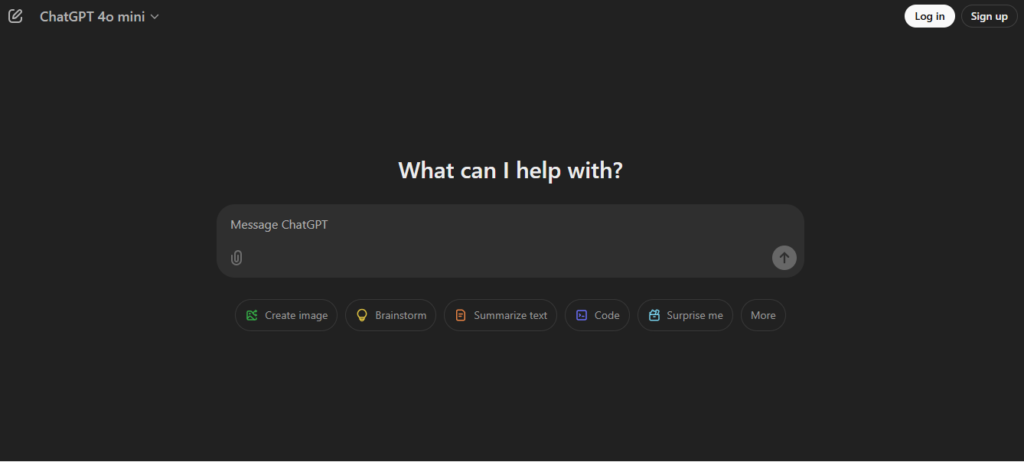
Having the right ChatGPT prompts for writing articles in your back pocket means you never waste time figuring out what to ask. You just give the input, and ChatGPT provides you with the details in seconds.
I will recommend bookmarking this section, as you will need these prompts every time you write an article.
The Outline Prompt
Use this at the very beginning to build your article structure in seconds.
“Act as an expert content strategist and SEO specialist. Create a detailed, well-structured outline for a blog post titled ‘[Your Article Title]’. The primary keyword is ‘[keyword]’. Secondary keywords to include naturally are: [list them]. The target audience is [describe your reader — e.g., beginner bloggers, small business owners, etc.]. Include an engaging introduction hook, H2 and H3 subheadings, key points to cover under each section, and a strong conclusion with a CTA. Prioritize search intent and readability.”
The Section Writing Prompt
Use this for each individual section of your article.
“You are writing a section for a blog post about ‘[article topic]’. The section heading is ‘[H2 or H3 heading]’. Write this section in a conversational, engaging tone for [target audience]. The content should be informative, specific, and avoid fluff. Every sentence should add value. Naturally include the keyword ‘[keyword]’ where relevant. Aim for [word count] words.”
The Rewriting Prompt
Use this whenever a section feels too robotic, too bland, or just doesn’t sound like you.
“Rewrite the following paragraph in a more conversational, human tone. Make it sound natural and engaging — like an expert explaining something to a friend. Vary the sentence lengths, cut unnecessary words, and make it more direct. Here’s the paragraph: [paste your text].”
The SEO Optimization Prompt
Use this after your draft is written to tighten up the SEO without making it feel forced.
“Review the following blog post section and suggest improvements for on-page SEO. The primary keyword is ‘[keyword]’. Secondary keywords are: [list them]. Check for: natural keyword placement, heading structure, readability, and any missing opportunities to answer search intent more directly. Here’s the content: [paste your section].”
Related: Best Prompt Engineering Courses Online [Prompting Mastery]
Is Using ChatGPT for Article Writing Safe for SEO?
This is probably the question every blogger and content marketer has typed into Google at least once.
And it’s a completely valid concern because if writing articles with ChatGPT gets your site penalized, none of the time savings in the world are worth it.
So let’s clear this up first.
Quick Answer
Yes, using ChatGPT for article writing is safe for SEO, as long as the content is helpful, accurate, and written for people first. Google does not penalize AI-generated content simply for being AI-generated.
What it penalizes is low-quality, spammy, or unhelpful content, regardless of how it was produced.
What Google Actually Says About AI Content
A lot of people assume Google has a blanket policy against AI-written content. It doesn’t.
Google’s official position is refreshingly straightforward; they care about content quality, not content origin.
Their helpful content guidelines make this clear: if your article genuinely helps readers, answers their questions, and demonstrates real expertise, it can rank well whether a human wrote every word or used AI assistance along the way.
What Google targets aggressively is content that exists purely to manipulate search rankings.
These are thin articles stuffed with keywords, pages that say nothing useful, or mass-produced content clearly designed to game the algorithm rather than serve real readers.
The distinction Google draws isn’t human vs. AI. It’s helpful vs. unhelpful.
And that’s actually good news for anyone using a thoughtful ChatGPT writing workflow because when you follow the process outlined in this guide, helpfulness is built into every step.
Conclusion
Writing articles faster using ChatGPT isn’t about cutting corners, flooding the internet with low-quality content, or replacing the human creativity that makes great writing great.
It’s about removing the friction that slows you down so you can focus your energy on what actually matters: creating content that genuinely helps people.
That’s exactly what this workflow is designed to do.
I believe that this article gave you some ideas about how to write articles faster using ChatGPT. You can generate unique and helpful text using ChatGPT by combining the workflow and smart ChatGPT prompts I have shared.
Frequently Asked Questions
Can I use ChatGPT to write articles in my niche even if it’s very specific?
Yes, absolutely. ChatGPT works across virtually every niche. The key is providing detailed context in your prompts: your topic, audience, and tone. The more specific your instructions are, the more relevant and accurate the output becomes.
Do I need a paid ChatGPT plan to write articles faster?
Yes, the free version works perfectly for basic article writing, but ChatGPT Plus produces noticeably better, more nuanced content. So the paid plan is actually worth it for serious content creators.
How long should my prompts be to get the best results from ChatGPT?
Longer prompts don’t always guarantee better results. What matters the most is clarity. A focused 3–5 sentence prompt with your topic, audience, tone, and goal will consistently outperform a vague one-liner.
Can ChatGPT help me write articles in languages other than English?
Yes, ChatGPT supports multiple languages and can draft articles in most major ones.
Related Articles
Best Midjourney Courses Online for Beginners (Complete Guide)
How Generative AI Can Help You Land Your Dream Job: 7 Practical Steps To Follow
AI Tools That Can 10X Your Career Growth (No Coding Needed)
Top 10 High-Paying AI Careers (Salary, Skills & Step-by-Step Roadmap)

As an engineer with a passion for learning and sharing knowledge, I created CourseKart.online to help students, professionals, and lifelong learners choose the best online courses. With so many options available, finding the right one can be overwhelming. My goal is to simplify that process by offering insights, reviews, and recommendations on the top online learning resources. I hope my posts inspire you to keep growing, learning, and exploring new opportunities.
Discover more from coursekart.online
Subscribe to get the latest posts sent to your email.