
I used to stare at a blank document for 45 minutes before writing a single word. Not because I didn’t know what to say, but because starting felt impossible.
Then came the research rabbit hole, the outline that never quite felt right, and the three rewrites before I’d even hit 500 words. Sound familiar?
If I am not wrong, it is the story of most bloggers or content writers out there.
More bloggers spend way more time wrestling with content than actually producing it, whether they are running a personal brand, a niche site, or writing for clients.
That’s exactly where ChatGPT changes the game.
I’m not talking about hitting “generate” and copy-pasting whatever it spits out. That’s how you end up with robotic, generic content that ranks nowhere and bores everyone.
I am talking about using ChatGPT as a thinking partner to generate ideas, strategies, content plans, and more.
In this guide, I’ll walk you through a complete, practical workflow for using ChatGPT to write blogs that are faster to produce and better in quality.
You will get a step-by-step guide on how to use ChatGPT for blog writing, 50+ ready-to-use prompts to generate high-quality output from ChatGPT, and a real-world example of using ChatGPT to write blog posts in this guide.
So, let’s get into it.
Can ChatGPT Really Write High-Quality Blogs?

If you are still in doubt, here is a clear answer.
Yes, ChatGPT can write high-quality blogs. But not on its own.
Yes, I have used it to produce content that ranks, converts, and actually gets read. I have also seen it produce fluffy, surface-level garbage that wouldn’t fool a casual reader, let alone a search algorithm.
This output difference describes how the way you use the tool matters more than the capability of the tool itself. This is about writing unique prompts for ChatGPT to get high-quality outputs. I will get into this in the next section.
What ChatGPT Is Surprisingly Good At
ChatGPT does the following tasks effectively.
- Idea generation
Ask it for 20 blog ideas around a topic, and you’ll have a working list in seconds. More importantly, it often surfaces angles you wouldn’t have thought of yourself.
- Structuring articles
This is where ChatGPT quietly shines. Give it a topic and a target audience, and it’ll produce a logical, reader-friendly structure that covers the right bases.
- Draft writing
For sections you already know well, ChatGPT can get you to a solid first draft fast. Think of it as getting 70% of the way there in 10% of the time.
- Rephrasing and tightening
Paste in a clunky paragraph and ask it to make it clearer. It is genuinely good at this, better than most people expect.
Where It Struggles (And You Need to Know This)
- Original insights
ChatGPT doesn’t have opinions. It doesn’t have experience. It synthesizes what already exists on the internet.
- E-E-A-T: Experience, Expertise, Authority, Trust
Google’s quality framework explicitly rewards content that demonstrates lived experience. ChatGPT can’t tell your readers about the campaign that flopped, the client that pushed back, or the strategy that worked better than expected. That texture is what separates content that ranks from content that gets ignored.
- Current events and accuracy
ChatGPT’s knowledge has a cutoff, and it can confidently state things that are outdated or just wrong. Always fact-check. Always.
Step-by-Step Blog Writing Workflow Using ChatGPT
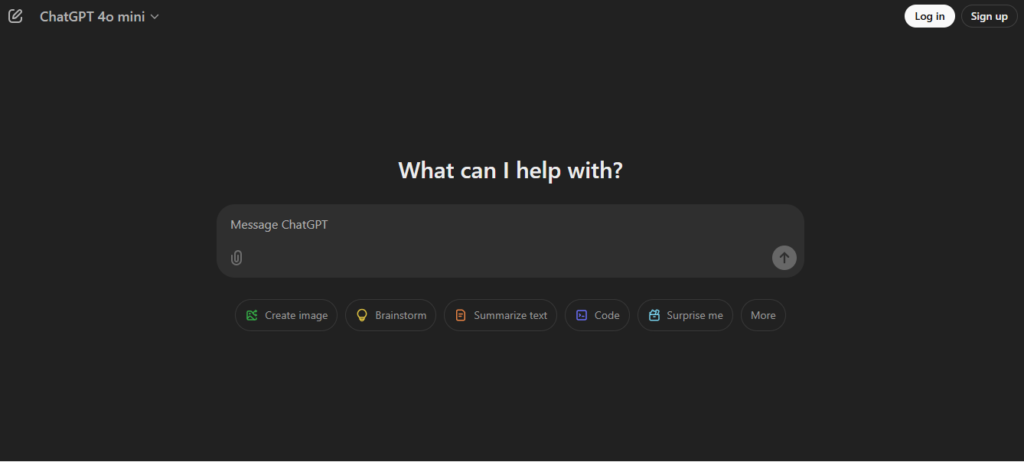
This is the exact workflow I use to take a blog post from zero to published, without sacrificing quality. Each step has specific prompts you can use right now. No fluff, no theory.
Step 1: Blog Topic & Keyword Research
Before you start working on a blog topic, you need to understand what your audience is actually searching for. This is what we call user intent.
If you produce content that no one is searching for, you are solving a problem that never existed.
Yes, ChatGPT is not a keyword research tool, but it can do this task efficiently for you. You just have to ask it correctly.
Try these prompts.
“Give me 10 SEO-friendly blog topics on [topic] targeting [audience]. Focus on informational and problem-solving angles.”
“Find low-competition keyword ideas for [niche]. Group them by search intent: informational, navigational, and transactional.”
“What are the most common questions beginners ask about [topic]? Turn them into potential blog titles.”
Now, you have a list of keywords for a specific topic. Take those ideas to real tools like Ahrefs or Semrush for better insights.
Google’s free tools, such as Search Console and “People Also Ask,” will also give you useful insights.
Step 2: Create a High-Ranking Blog Outline
Consider the outline as the foundation of your blog article. If it is structured, SEO friendly, and matches the search intent, it will help you write an article that people actually read.
Most people skip this step and go straight to drafting. As a result, the article turns out to be generic and struggles to rank.
Use these prompts to create high-ranking blog outlines.
“Create an SEO-optimized blog outline for ‘[blog title]’. Include H2 and H3 headings based on search intent. The target keyword is [keyword], and the audience is [audience].”
“Which sections of this outline could be optimized to win a Google featured snippet? Suggest how to structure them.”
“Reorganize this outline so it flows logically and keeps readers engaged from start to finish.”
Step 3: Generate the First Draft
If you ask ChatGPT to “write a blog post about X topic” and expect something great, you are using it inappropriately.
Yes, you should ask it to create a draft for a section of your article, which is the raw material, so that you have something to review, edit, and improve. Here are some prompts to use.
“Write a detailed blog post section on [subtopic] in a conversational, first-person tone. Avoid generic advice. Be specific and practical.”
“Write an introduction for a blog about [topic]. Start with a relatable pain point, then introduce the solution, and end with what the reader will learn.”
“Write a 200-word section explaining [concept] as if you’re explaining it to someone who’s completely new to it.”
The output you get is raw, and it needs editing.
Step 4: Improve Content Quality
The first draft generated by ChatGPT is not the final article you should publish. You need to edit it to make it more human, more specific, and more useful.
Prompts to use:
“Rewrite this paragraph to sound more natural and conversational. Remove any filler phrases and make it more direct: [paste text].”
“This section feels too generic. Add a specific real-world example or analogy that makes this concept easier to understand: [paste text].”
“Rewrite this to sound like it was written by an expert with real experience — not a textbook. Add nuance and a clear point of view: [paste text].”
“Identify any claims in this section that need a source or more evidence, and flag them: [paste text]”
Step 5: SEO Optimization
Now you have a strong draft. You have to optimize the content for SEO so that Google can find it and understand what it’s about.
SEO optimization at this stage is about placement, structure, and metadata, not keyword stuffing.
Try these prompts for this section.
“Optimize this blog post for the primary keyword ‘[keyword]’ and secondary keywords ‘[keyword 2], [keyword 3]’. Suggest where to naturally place them without over-optimizing: [paste post].”
“Write 3 meta title options and meta descriptions for this blog post. Primary keyword: [keyword]. Keep titles under 60 characters and descriptions under 155 characters.”
“Suggest 5 internal linking opportunities for this post. The blog covers topics like [list your existing content areas].”
Step 6: Editing & Final Polish
This is the step that separates content that converts from content that just exists. A technically correct article that’s painful to read will bounce readers faster than a slow page load.
These ChatGPT prompts will help you with this.
“Proofread this blog post for grammar, clarity, and readability. Flag any sentences that are too long or confusing: [paste text].”
“Simplify the complex sentences in this section without losing the meaning: [paste text].”
“Check this post for tone consistency. It should sound conversational and confident throughout. Flag anything that feels off: [paste text].”
“Suggest a stronger conclusion for this post. It should summarize the key takeaway and end with a clear call to action.”
Related: Best Prompt Engineering Courses Online [Prompting Mastery]
50+ Practical ChatGPT Prompts for Blog Writing
Stop guessing what to type into ChatGPT. These are the prompts I actually use and recommend, organized by stage so you can grab what you need, when you need it. Copy them, customize the brackets, and use them immediately.
Note: These prompts are my own adaptations, built from testing and iterating with ChatGPT over real blog projects. They’re not guaranteed to go viral, but they consistently help me move from idea to publish‑ready draft.
A. Topic & Keyword Research Prompts
- “Give me 10 SEO-friendly blog topics for [niche] targeting [audience]. Focus on informational and problem-solving angles that have commercial intent.”
- “What are the top 10 questions people ask about [topic]? Format them as blog post titles optimized for search.”
- “Give me 8 low-competition blog ideas for [niche] that a new website could realistically rank for. Explain why each has ranking potential.”
- “I run a blog about [topic]. What content gaps exist that most blogs in this space aren’t covering? Give me 5 unique angles.”
- “Generate 10 blog title ideas for [topic] using these formats: how-to, listicle, comparison, case study, and ultimate guide.”
- “What are the trending subtopics within [niche] right now? Give me 8 blog ideas based on emerging interest areas.”
- “Give me 5 blog ideas for [topic] based on each stage of the buyer journey: awareness, consideration, and decision.”
- “Create a 3-month content calendar for a blog about [topic] with 2 posts per week. Group topics by theme and search intent.”
B. Blog Outline Prompts
- “Create a detailed SEO-optimized blog outline for ‘[blog title]’. Include H2 and H3 headings. Primary keyword: [keyword]. Target audience: [audience].”
- “Build an outline for a long-form pillar post on [topic]. It should cover the topic comprehensively enough to internally link 8–10 cluster posts.”
- “Which sections of this outline are most likely to win a Google featured snippet? Restructure those sections to maximize that chance: [paste outline].”
- “Create two different outlines for a blog on [topic] — one for a beginner audience and one for an advanced audience. Show how the structure changes.”
- “Review this outline and identify any gaps in coverage, logical flow issues, or missing sections a reader would expect: [paste outline].”
- “Build an outline for a comparison post: [Option A] vs [Option B]. Structure it to answer the reader’s decision-making intent, not just list features.”
- “Create an outline for a case study blog post about [result/topic]. Include: the problem, the approach, the execution, the results, and key takeaways.”
C. Content Writing Prompts
- “Write a blog introduction for ‘[blog title]’. Open with a relatable pain point, introduce the solution, and tell the reader exactly what they’ll learn. Tone: conversational and direct.”
- “Write a detailed, practical section on [subtopic] for a blog about [topic]. Avoid generic advice. Be specific, use examples, and write in first person.”
- “Write a ‘what is [term]’ section for a blog post. Make it clear enough for a beginner, but don’t dumb it down. Under 150 words.”
- “Write a step-by-step how-to section for [process]. Number each step, keep each one actionable, and briefly explain why each step matters.”
- “Write a compelling conclusion for a blog post about [topic]. Summarize the 3 key takeaways and end with a strong call to action to [desired action].”
- “Write a pros and cons section for [topic/tool/strategy]. Be honest — don’t just list positives. Readers trust balanced content.”
- “Write a FAQ section for a blog post on [topic]. Include 6 questions a reader would genuinely ask after reading the post. Keep answers concise and useful.”
- “Write a real-world example or mini case study illustrating how [concept] works in practice. Make it specific and believable.”
- “Write a ‘common mistakes’ section for a blog about [topic]. List 5 mistakes, explain why people make them, and how to avoid each one.”
- “Write a product/tool recommendation section for [topic]. For each recommendation, cover: what it is, who it’s best for, and one standout feature.”
- “Write a blog section that directly addresses the objection: ‘[common objection about topic]’. Acknowledge it, then reframe it with evidence.”
- “I’m writing a blog for [audience] about [topic]. Write a section that speaks directly to their biggest frustration: [specific frustration].”
D. SEO Optimization Prompts
- “Optimize this blog post for the primary keyword ‘[keyword]’ and secondary keywords ‘[kw2], [kw3]’. Show me exactly where to place each one naturally: [paste post].”
- “Write 3 meta title options and 3 meta descriptions for this post. Primary keyword: [keyword]. Titles under 60 characters, descriptions under 155. Make each one click-worthy: [paste post].”
- “Identify 5–7 internal linking opportunities within this post. My blog covers these topics: [list topics]. Suggest anchor text for each link.”
- “Rewrite the first 100 words of this blog to naturally include the primary keyword ‘[keyword]’ without making it feel forced: [paste intro].”
- “Suggest 8 semantically related terms and LSI keywords I should naturally include in a blog post about [topic].”
- “Review this blog post’s H2 and H3 headings. Are they optimized for search intent and keyword coverage? Suggest improvements: [paste headings].”
- “Write alt text for 5 images in a blog post about [topic]. Make each one descriptive, contextually relevant, and naturally keyword-inclusive.”
- “Analyze this blog post and give me an on-page SEO checklist: what’s done well, what’s missing, and what needs fixing: [paste post].”
- “Write a URL slug, H1 tag, and page title for a blog post targeting the keyword ‘[keyword]’. Give me 3 variations of each.”
- “This blog post targets ‘[keyword]’. Write 3 different hook variations for the introduction that would improve click-through rate from search results.”
E. Editing & Rewriting Prompts
- “Rewrite this paragraph to sound more natural and conversational. Cut filler words. Make every sentence earn its place: [paste text].”
- “This section feels too generic and surface-level. Rewrite it to be more specific, opinionated, and useful for someone who already knows the basics: [paste text].”
- “Proofread this blog post. Fix grammar, improve clarity, flag any sentences over 25 words, and identify anything that disrupts the flow: [paste post].”
- “Simplify the 5 most complex sentences in this section without losing the meaning or dumbing it down: [paste text].”
- “Rewrite this section to improve readability for an 8th-grade reading level. Keep it professional but accessible: [paste text].”
- “Check this entire post for tone consistency. It should sound confident, conversational, and expert throughout. Flag anything that sounds robotic or off-brand: [paste post].”
- “This conclusion is weak. Rewrite it to leave the reader with one strong takeaway and a compelling reason to take action: [paste conclusion].”
- “Tighten this 500-word section down to 300 words without losing any key information or examples: [paste text].”
- “Rewrite this list of bullet points as flowing, engaging prose that doesn’t feel like a Wikipedia entry: [paste bullets].”
F. Advanced Prompts (High Value)
These prompts go beyond basic content generation and help you produce work that’s strategically differentiated, conversion-optimized, and built for long-term authority.
- “Rewrite this blog post section in the tone and style of [expert/brand — e.g., Neil Patel, Paul Graham, Ann Handley]. Match their sentence rhythm, level of directness, and use of examples: [paste text].”
- “Turn this informational blog post into a high-converting affiliate article. Add natural product recommendations, comparison context, and CTAs that don’t feel salesy: [paste post].”
- “Add E-E-A-T signals to this blog post. Suggest where to insert first-hand experience, cite credible sources, demonstrate expertise, and build reader trust: [paste post].”
- “This blog post is ranking on page 2. Analyze it and tell me what’s missing compared to a page 1 result. What depth, angle, or content type should I add: [paste post].”
- “Turn this blog post into a content cluster plan. Identify 8 related subtopics I can write as standalone posts that internally link back to this pillar: [paste post].”
- “Write a ‘skyscraper’ version of this blog post section — deeper, more specific, and more useful than anything currently ranking for [keyword]: [paste section].”
- “Rewrite this blog post to target a different audience: [new audience]. Change the examples, tone, pain points, and framing while keeping the core information intact: [paste post].”
- “Add a persuasive narrative arc to this blog post. It should feel like the reader is going on a journey — from problem to insight to solution — not just consuming information: [paste post].”
- “Identify every claim in this post that needs a statistic, study, or source to be credible. Then suggest what type of evidence would strengthen each one: [paste post].”
Recommended Udemy Courses – How to Use ChatGPT And Generative AI To Help Create Content – Detailed Course Review
Common Mistakes to Avoid When Using ChatGPT for Blog Writing

Using ChatGPT for blog writing is not as simple as it sounds. I have made several mistakes during the process and seen countless bloggers make them too, then wonder why their AI-assisted content isn’t performing.
Knowing how to use ChatGPT is only half the equation. Knowing what not to do is what separates content that ranks from content that quietly collects dust.
Mistake 1: Copy-Pasting Without Editing
This is the most common and most damaging mistake I see. ChatGPT output is not the final article for your blog.
It is the raw text that you need to improve to match the intent of your audience.
If you publish as it is, you are competing with human writers who put in extra hours to optimize the content for the audience.
Mistake 2: Ignoring SEO Entirely
You asked ChatGPT to write a 1500-word article on a topic. ChatGPT generated an article with good formatting and a conclusion.
You took that content, made some improvements, and published it.
First of all, ChatGPT is not an SEO tool; it is a writing tool, and it doesn’t have an idea about keyword competition, search volume, or search intent.
Therefore, the content you just generated and published without any SEO angle is not going to rank on search results.
Honestly, I used to do this in the beginning days of using ChatGPT.
Mistake 3: Overusing the AI Tone
You know the tone I’m talking about. Phrases like “In today’s fast-paced digital landscape…” or “It’s important to note that…” or conclusions that wrap up with “By leveraging these powerful strategies, you’ll be well on your way to success.”
These phrases are easy to recognize as AI content, and users will notice them at first glance.
The solution for this is aggressively editing out its default voice and replacing it with yours. Short sentences. Opinions. Moments where you say something slightly unexpected.
Real language that a real person would actually use. If a sentence sounds like it could have been written by anyone, rewrite it until it sounds like it was written by you.
Mistake 4: Adding No Personal Insights
This is the one that quietly kills your authority. ChatGPT can produce information. It cannot produce perspective. And in a world where information is infinite and free, perspective is what readers actually come back for.
Your personal insights are what make your content unique and prove E-E-A-T.
Every post you publish should have at least one thing in it that ChatGPT could never have written. A specific result you got. A mistake you made. A take that goes against the conventional advice.
That’s what builds an audience. That’s what builds trust. And increasingly, that’s what ranks.
Related: 30+ Best Generative AI Tools for Beginners to Try
Real Example: Writing a Blog Post Using ChatGPT (Mini Case Study)
Here is a practical example from my own workflow, based on how I actually use ChatGPT when writing blog posts.
I will also show you how to edit and refine it before posting. So let’s get into it.
The context: Write a blog post section on “How to Write a Blog Introduction That Keeps Readers Hooked” targeting beginner bloggers.
Step 1: The Prompt
Here’s exactly what I typed into ChatGPT:
“Write a blog introduction for a post titled ‘How to Write a Blog Introduction That Keeps Readers Hooked.’ Target audience: beginner bloggers who struggle with getting started. Tone: conversational and direct. Open with a relatable pain point, then introduce what they’ll learn. Max 150 words.”
Step 2: The Raw Output
Here’s what ChatGPT produced — unedited:
Staring at a blank screen, typing a sentence, deleting it… and repeating the cycle? If writing blog introductions feels like the hardest part of blogging, you’re not alone. Most beginners struggle to find the right words that grab attention without sounding forced or boring.
The truth is—your introduction decides whether someone keeps reading or clicks away.
In this guide, you’ll learn exactly how to write blog introductions that hook readers from the first line. We’ll break down simple frameworks, real examples, and practical techniques you can start using immediately—even if you’re not confident in your writing yet.
Step 3: The Diagnosis
Before editing, I identified exactly what’s wrong with this output:
The intro starts with a cliche: “Staring at a blank screen…” Every beginner blogger has heard this a thousand times, so it is not unique.
It lacks experience. It says “In this guide, you’ll learn,” but it doesn’t say “In this guide, I’ll show you the system I used to get 10k views.”
Weak stakes. It tells the reader their intro decides if someone clicks away, but it doesn’t make them feel the cost of that loss. It’s too “nice.”
Too much unwanted setup. It takes three paragraphs to get to the “what you’ll learn” part. In a 2026 mobile-first world, users want to know the “Why” in the first 5 seconds.
Step 4: The Edited Version
Here is my edited version.
Staring at a blinking cursor, typing a lead, and hitting delete—sound familiar? If crafting a blog introduction feels like the most grueling part of your process, you’re in good company. Most beginners struggle to find an opening that commands attention without feeling forced or repetitive.
The reality is simple: your first few sentences determine whether a reader stays engaged or bounces immediately.
In this guide, I will explain the exact frameworks for writing introductions that hook readers from the very first line. We’ll break down repeatable structures, real-world examples, and practical techniques you can apply to your next post—even if you’re still building your confidence as a writer.
Step 5: The Follow-Up Prompt
After the first edit, I went back to ChatGPT with a follow-up to tighten a specific element:
“The third paragraph of this introduction feels slightly disconnected. Rewrite just that paragraph to flow better from the opening scene and build more urgency around why the introduction matters: [pasted paragraph].”
ChatGPT’s output:
That’s exactly why getting your introduction right matters more than you think. In this guide, you’ll learn how to write openings that instantly grab attention and pull readers in from the very first line. We’ll walk through simple frameworks, real examples, and practical techniques you can start using right away—even if writing doesn’t come naturally to you.
This sounds a bit better now.
This way, you can follow the prompt-by-prompt method with ChatGPT to create content and edit the content before publishing.
Related: Best Midjourney Courses Online for Beginners (Complete Guide)
Frequently Asked Questions About Using ChatGPT for Blog Writing
Can ChatGPT write SEO-optimized blogs?
Yes, but only if you prompt it correctly. ChatGPT can structure content, place keywords naturally, and write meta descriptions, but it has no live search data. You need to bring the keyword strategy yourself and use the SEO prompts from Section 4 to bake optimization into the content deliberately.
Is AI-generated content good for Google rankings?
Google doesn’t penalize AI content; it penalizes unhelpful content. If your post genuinely answers search intent, demonstrates real expertise, and provides value a reader can’t find elsewhere, it can rank regardless of how it was written.
How do I avoid AI detection in my blog posts?
The most effective approach isn’t gaming detection tools, it’s writing content that genuinely sounds human. Edit aggressively, inject personal experience, use your natural voice, and remove every phrase that sounds like it came from a corporate brochure.
Can I monetize blogs written with ChatGPT’s help?
Absolutely. Thousands of bloggers already do so through display ads, affiliate marketing, sponsored content, and digital products.
How do I make ChatGPT match my writing style?
Give examples of your writing in it. Paste two or three paragraphs of your existing writing into the prompt and say: “Match this tone, sentence rhythm, and level of directness in everything you write.”
What is the ideal ratio of AI writing to human editing?
There’s no fixed formula, but a practical benchmark I use: ChatGPT handles the structure and first draft, and I handle everything that requires judgment. In terms of time, that usually means 20–30% of total writing time spent prompting and generating, and 70–80% spent editing, enriching, and adding personal insight. The more competitive the keyword, the more human input the post needs.
Can ChatGPT replace a professional blog writer?
Not if you want content that builds a real audience. A skilled writer brings strategic thinking, brand voice, original research, and lived experience, none of which ChatGPT can replicate.
Conclusion
Finally, I want to tell you that ChatGPT is not a replacement for your thinking, your experience, or your voice. It never will be.
As a tool, it will help you in idea generation, keyword research, and generating drafts for your articles. It will help eliminate the guesswork and create structural content that ranks if prompted well.
The bloggers winning right now aren’t the ones who’ve handed their content over to AI. They’re the ones who’ve figured out how to combine what AI does efficiently with what only they can do uniquely. That’s the edge. And it’s available to anyone willing to build the workflow deliberately.
So don’t overthink the starting point. You don’t need a perfect system before you begin; you need a first prompt and the willingness to iterate from there.
Many of these prompts reflect patterns now common in AI‑assisted blogging workflows, but all examples here are based on my own usage.
Share Now
More Articles
Best Generative AI Courses On Coursera That Explain Real-World Applications
AI Tools That Can 10X Your Career Growth (No Coding Needed)
Top AI Skills for High-Paying Jobs (Career Guide)
Discover more from coursekart.online
Subscribe to get the latest posts sent to your email.